


Everything posted by pollythewog
-
Is this game only watchable on peacock?
-
Good move to put king in sheesh
-
That’s what i get for complimenting Clayton . Incredible to leave him in
-
uh oh
-
This is first game in a long time where Bendix baseball is actually working
-
Wow even Clayton making good moves today
-
GOOD lord we needed that
-
As well as defense, hitting for power and starting pitching.
-
Marsee lmao
-
Caissie supposed be this terrible a defender?
-
Hope so!
-
Lmao Caissie you need to catch that
-
Nats pretty smart for starting a lefty opener. Envious of that teamSend marsee downLol
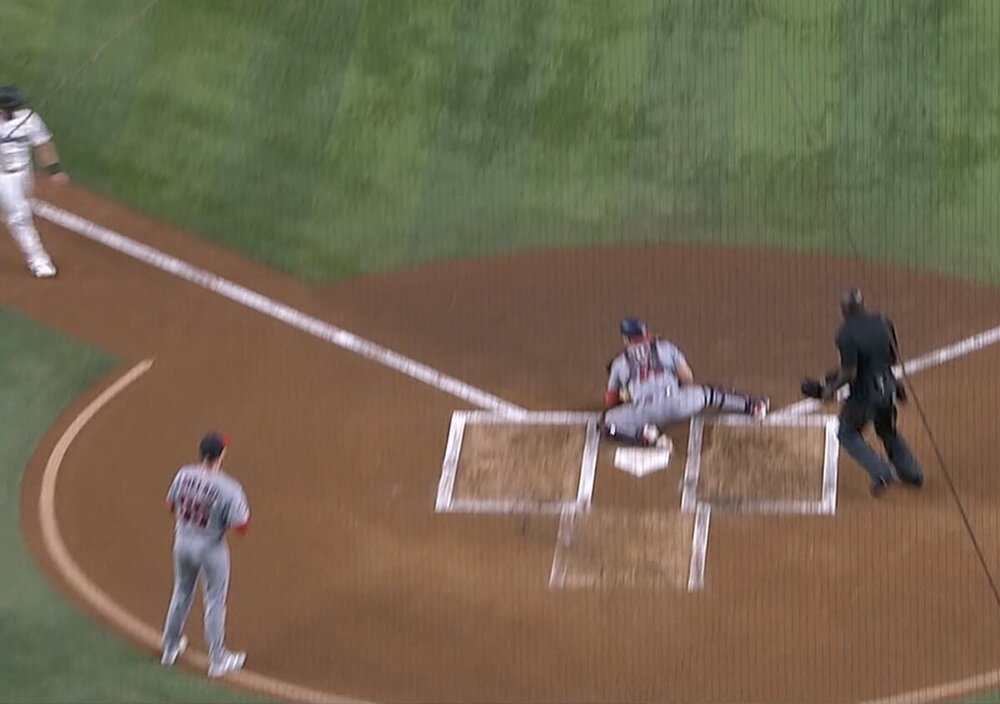 I don’t have confidence in Norby either there but then why is he on the 26 man?It’s always been about that this year. When your FA signings are paddack and morel you’re clearly not serious about winningNice to see Stowers smoke one through. Incredibly stupid to send hicks theregreat base running guys! Just a great team to watch all aroundThe lead mlb in giving up runs in the first inning and I highly doubt it’s a coincidenceGreat job junk and pitching coaches!Worth noting this team is bottom third in starting pitching ERA which was a perceived strength before the season. Snelling over paddock should help that, but I’m starting to seriously wonder if the pitch calling from the dugout MacBook Pro excel spreadsheet is part of the problem
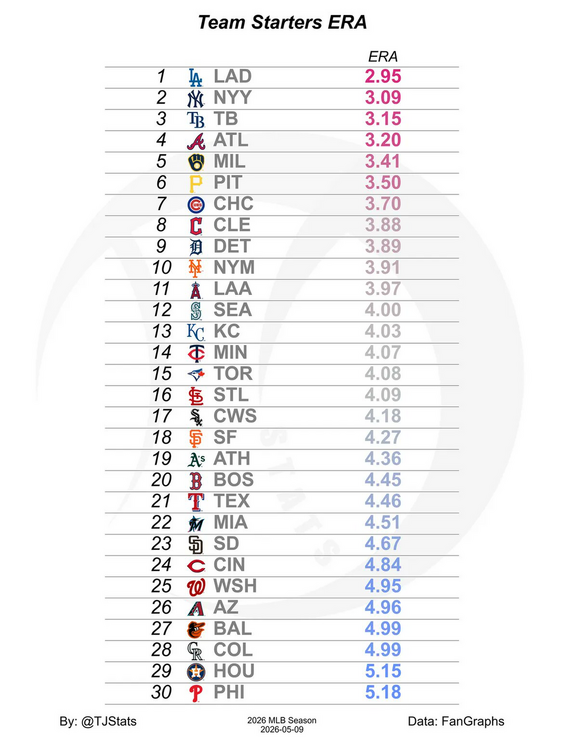 Nats using a lefty opener today pretty smart move tbhThat does seem be the case.



