Teal Shadow 2007
Members
-
Joined
-
Last visited
-
https://www.baseballamerica.com/stories/2019-mlb-draft-order-set/
-
https://www.usabaseball.com/player/adley-rutschman-271963094 ? Could he be the reason JT is traded as him being one of the top two players in 2019 draft?
-
[No message]
-
[No message]
-
[ATTACH]2200._xfImport[/ATTACH]
-
[ATTACH]2171._xfImport[/ATTACH]
-
[No message]
-
https://www.baseballamerica.com/stories/miami-marlins-mlb-draft-history-and-projections/https://twitter.com/joefrisaro/status/1003054888539041796?s=21 [ATTACH]2006._xfImport[/ATTACH]
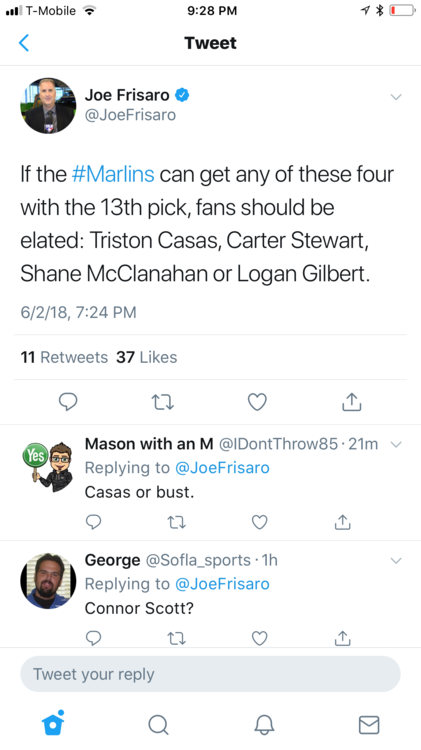 Two days to go before the marlins lose there top two selections in this year draft and no news one way or another...weirdOnce again Marlin fans OVER RATING Jeremy Hermida. He isn't even worth Matt Capps now! You guys have no realistic sense of trade value for a corner outfielder who can NOT drive in runs. Hermida is a #4 outfielder and isn't worth even a low rate closer- hate to tell you "I told you so". When hermida was drafted I cursed the front office for taken him over kamir at the time they stated it was about money but in the end they both signed for about the same, now years later we all know they made a big mistakecongrats Hanley!!Matt Kemp for Dan Uggla with the latest trade by the Marlins I would think its setting up for an Uggla to dealt. I don't think the Marlins will shop him around but if a one for one deal like this one makes sense.