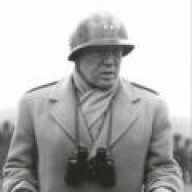
September 5, 200620 yr Man your battlestations. The enemy is upon us. The ENEMY IS UPON US NOW!!!! Here we sit, 1 game over .500 and we are in a precarious position. We are right there in this playoff hunt, we are on the cusp of history, but we cannot do it alone. We cannot do it by ourselves, we need this army to help lead us once more to the promised land. We have a rich history, we have a glorious history. This army has helped lead this team to the top of the mountain and conquor the other armies before and we will do it again. I urge you people to man your battlestations, hop on board for the hoards that will be joining us, be the leaders yet again in this army of greatness. Grab that left nut and say ugh! If you dont have a nut, then grab that left ovary and also say ugh! We need you to be the frontline of this army, to be the ones that hold the flag and lead the charge. I need you, we need you, be my soliders. The time is now. Let's win this battle and win this damn WAR!
September 5, 200620 yr uuuuuuugggggggggggghhhhhhhhhhlllllaaaaaaa !!!!! ... wait thats one of the players but yes im there commander UGH !!!!!!
September 5, 200620 yr UGH! I'm a little worried, because in a drunken stupor I told my roommate I'd run through the hallway naked if the Marlins made the playoffs. I didn't expect them to do all this! I'll take one for the team though.
September 5, 200620 yr UGGGGGGGGGGGGGGGGGGGGGGGHHHHHHH Why does she always pull away the football when I go to kick it?





Join the conversation
You can post now and register later. If you have an account, sign in now to post with your account.
Note: Your post will require moderator approval before it will be visible.