



Skip to content
View in the app

A better way to browse. Learn more.

MarlinsBaseball.com

A full-screen app on your home screen with push notifications, badges and more.

To install this app on iOS and iPadOS
  1. Tap the Share icon in Safari
  2. Scroll the menu and tap Add to Home Screen.
  3. Tap Add in the top-right corner.
To install this app on Android
  1. Tap the 3-dot menu (⋮) in the top-right corner of the browser.
  2. Tap Add to Home screen or Install app.
  3. Confirm by tapping Install.

May 19th, Arizona Diamondbacks at Miami Marlins
Featured Replies

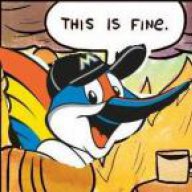
WHERE IS THE FIRE


They hired a guy to manage them that's never done this before. It's over. I posted in another thread, they've given up on this year. The players know it


WHERE IS THE FIRE


​


You want fire?  Go to Club Madonna's.  Plenty of fire there.  I "heard" the chicks are really hot.  Especially the young ones.  LOL


[ATTACH]251._xfImport[/ATTACH]


Madonna.jpg.76439a9aaab6635c1bcda97efa8f26c2.jpg

i think Jennings was but by Loria to see who making team better who making team bad ass  remember that jenny  was one help bring team together doing offseason  look their didnt see happen with all hurt player and new guys playing that well only few making play for team


Guest
This topic is now closed to further replies.

Account

Navigation

Search

Search

Configure browser push notifications

Chrome (Android)
  1. Tap the lock icon next to the address bar.
  2. Tap Permissions → Notifications.
  3. Adjust your preference.
Chrome (Desktop)
  1. Click the padlock icon in the address bar.
  2. Select Site settings.
  3. Find Notifications and adjust your preference.