October 3, 20233 yr This post was recognized by Admin! No Limit Marlins Commander was awarded the badge 'No Limit Soldier' MEN (AND WOMEN).... I hope you gave your left nut some needed rest and relaxation the last couple of days, iced down that nut and got some good rest like a smart solider does in between skirmishes. We accomplished and succeeded in winning battle 1. The next more important battle is just in front of us as we push deeper into enemy territory. I call upon all of this No Limit Marlins Army..... GRAB THAT FUCKING LEFT NUT (OR OVARY), TIGHTER THAN BEFORE, GET YOUR BATTLE GEAR ON. GRAB THOSE LUCKY TSHIRTS, THOSE LUCKY JERSEYS, THAT LUCKY HAT. WHATEVER YOU FUCKING NEED, GET IT. ITS TIME FOR US TO STAND PROUD. STAND LOUD. WITHOUT OUR SUPPORT ON THE FRONT LINES, IT IS IMPOSSIBLE TO SUCCEED. GRAB ON, THAT TRAIN LEFT THE STATION LONG AGO FOR US ON THE FRONT LINES. INTO BATTLE WE GO....LOUD. PROUD. GRAB THAT FUCKING NUT (OR OVARY) AND GIVE OUT THAT PRIMAL ROAR. LET THEM KNOW FOR MILES WHO YOU ARE, WE ARE ON THE ENEMY'S FRONT STEP, SO LET THEM KNOW WE ARE THERE. LETS FUCKING PUSH INTO THIS BATTLE AND TOGETHER WE WILL EMERGE ON THE OTHER SIDE. VICTORIOUS.
October 3, 20233 yr This post was recognized by Michael! Admin was awarded the badge 'No Limit Soldier' and 1 points.
October 3, 20233 yr This post was recognized by Michael! Das Texan was awarded the badge 'Helpful' Just go beat the Phillies. Maybe Bryce Harper's favorite umpire will show up (he wont thankfully)
October 3, 20233 yr This post was recognized by Admin! Michael was awarded the badge 'No Limit Soldier' Do the win!
October 3, 20233 yr This post was recognized by Admin! SilverBullet was awarded the badge 'No Limit Soldier'
October 3, 20233 yr This post was recognized by Michael! Admin was awarded the badge 'No Limit Soldier' 12 minutes ago, SilverBullet said: I think the Commander says to grab your own
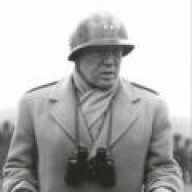
October 4, 20233 yr MAN YOUR FUCKING BATTLE STATIONS! MAN YOUR FUCKING BATTLE STATIONS! THE TIME IS FUCKING NOW!
October 4, 20233 yr 45 minutes ago, Admin said: I think the Commander says to grab your own I was eating ribs when i posted that, needed two hands so I was asking for assistance with my balls.
October 4, 20233 yr Just now, SilverBullet said: I was eating ribs when i posted that, needed two hands so I was asking for assistance with my balls.
October 4, 20233 yr This post was recognized by Admin! LordMagnus was awarded the badge 'No Limit Soldier' BATTLE STATION YOUR MEN
October 4, 20233 yr This post was recognized by Admin! Michael was awarded the badge 'No Limit Soldier' Men.





Join the conversation
You can post now and register later. If you have an account, sign in now to post with your account.
Note: Your post will require moderator approval before it will be visible.